
 Cod3Hub OSOpening to 10 founding businesses
Your business brain. On your own computer.
Cod3Hub OS keeps every promise, follow-up and file of your business in one place, and works with the AI app you already use. Nothing to remember, nothing slipping through. Every CommuCod3 app plugs into it.
Everything your business promised, in one place.
Built for owner-run businesses where it all lives in your head, your inbox and WhatsApp.
Never drop a promise
Every commitment, deadline and “I'll get back to you” in one list, with what's late and who you're waiting on.
Ask your business
Connect the AI app you already use. Ask what's due, capture a note or draft a reminder, in plain words.
Your business map
A short guided interview maps where your projects, records and routines live, so nothing has to be searched for twice.
A day with Cod3Hub OS.
Real screens, from a demo business: Kestrel & Co, a small installer run by Anna.
Your business at a glance.
Open it in the morning and see what's due today, what's late, who you're waiting on and the short digest of what changed overnight. One screen, nothing to dig for.
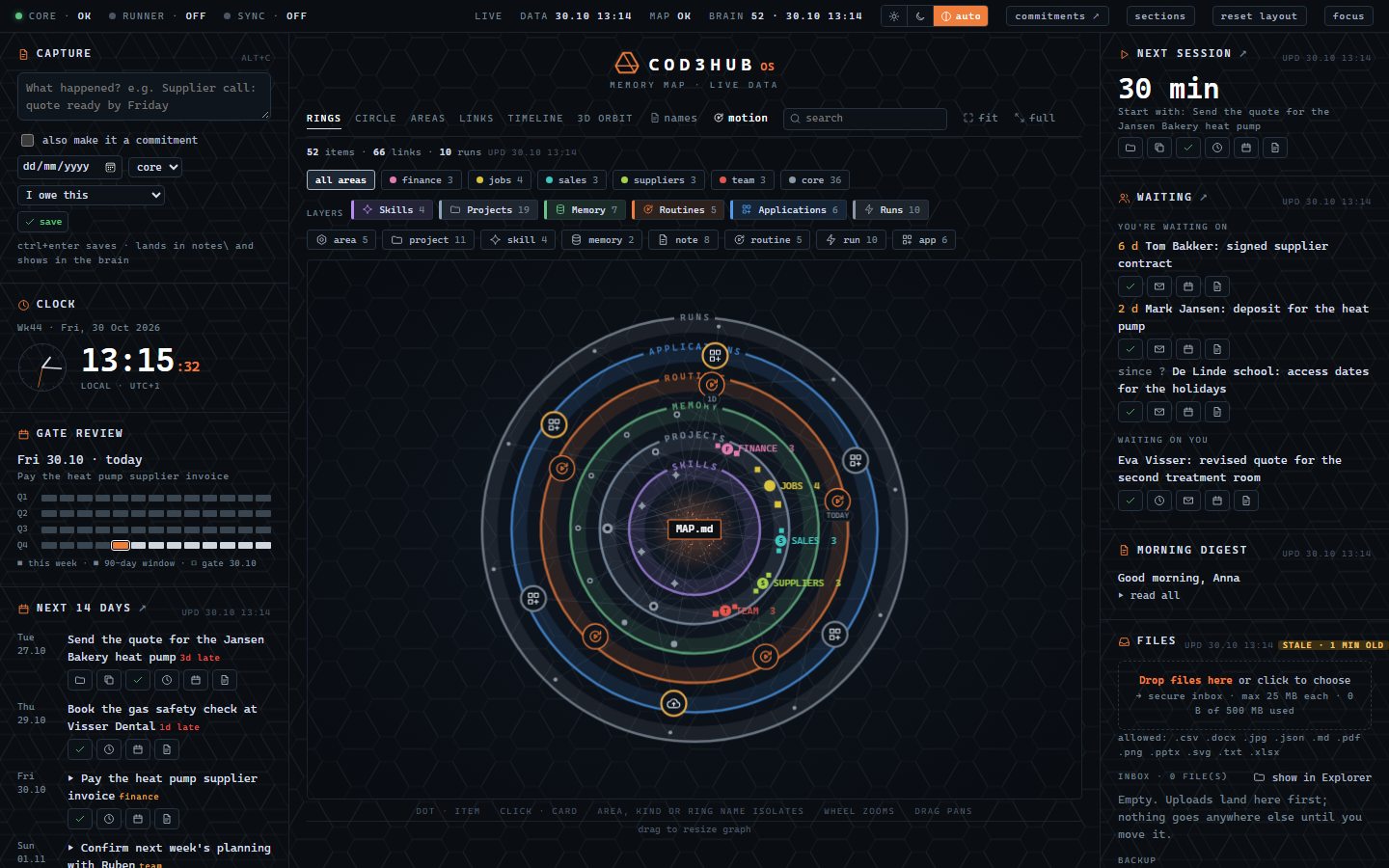
See your whole business, live.
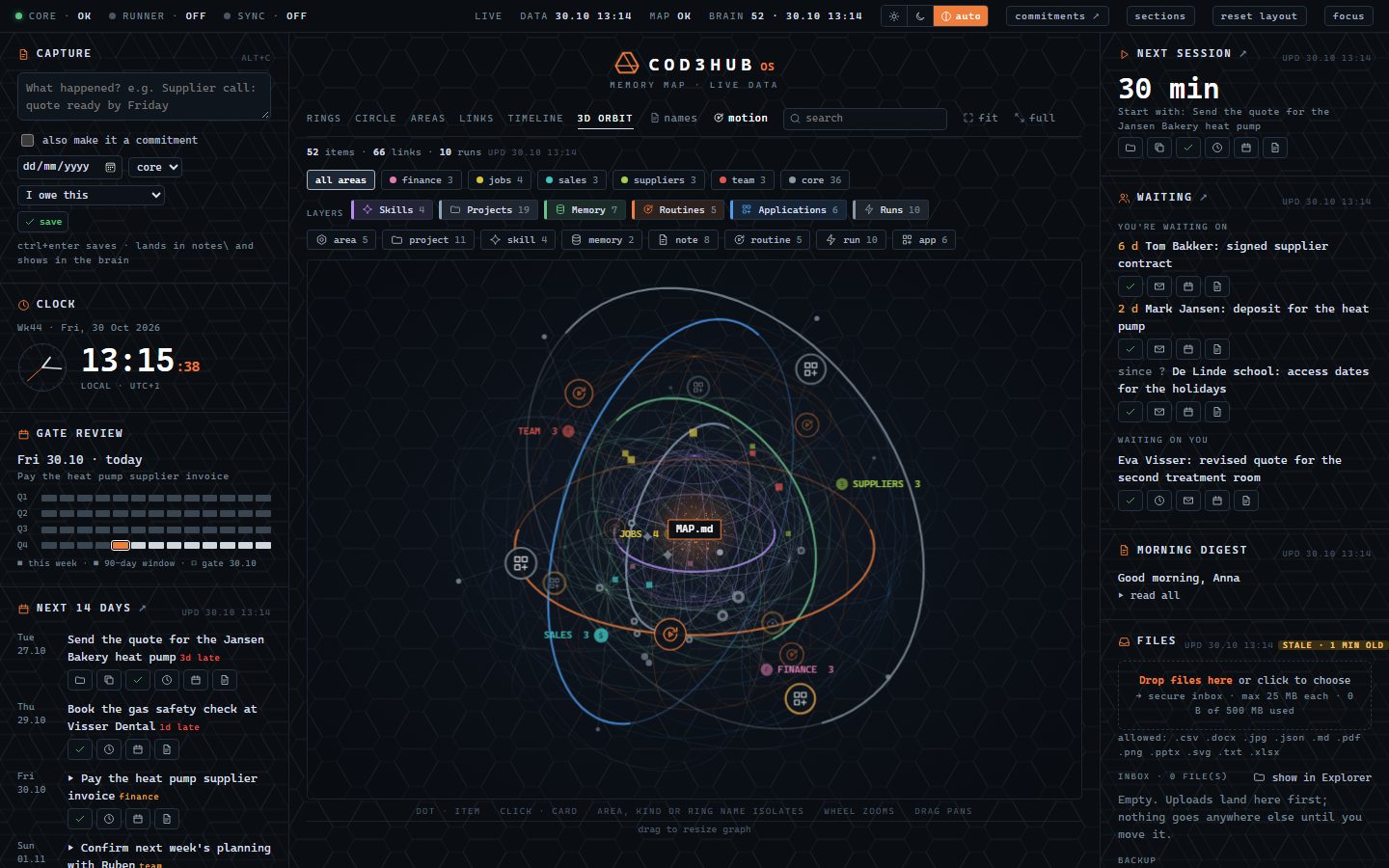
The Brain draws every project, record, routine and app as its own layer, turning on its own axis. Click any point to open it, or isolate one area to focus.
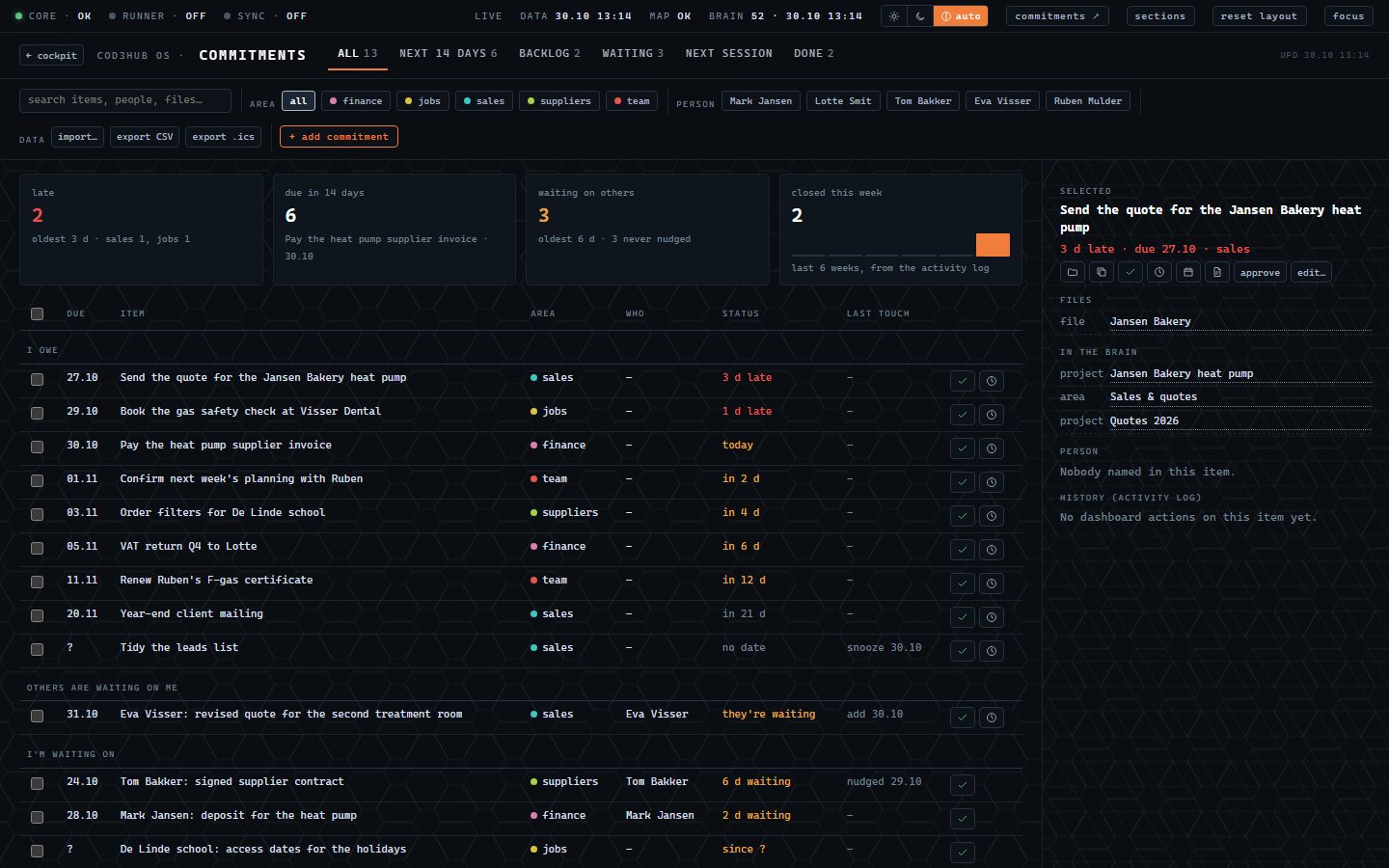
Never drop a promise.
Every commitment in one table: what's late, what's due in the next two weeks, and who still owes you. Mark it done, snooze it or draft a friendly reminder in one click. Every change is backed up first.
Ask your own AI.
Connect the AI app you already use. It reads your records on your own computer and answers in plain words. Reminders are drafts: you read them and press send.
- the Jansen Bakery heat pump quote (3 days)
- the gas safety check at Visser Dental (1 day)
Capture it before it's gone.
A call, a promise in the van, an idea at the counter: type it in a few words, tick “also make it a commitment”, and it lands in the right place in your business map.
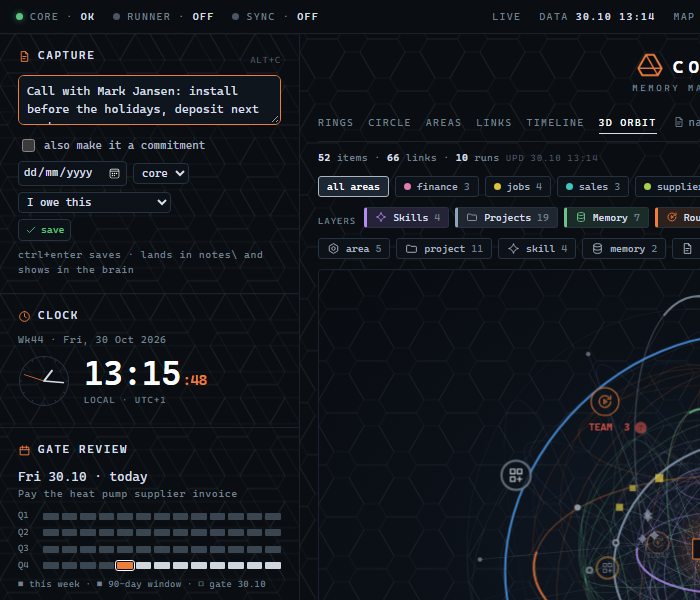
Screens from a demo business. All names, clients and figures are made up.
Up and running in an afternoon.
Install
Download Cod3Hub OS for Windows or Mac and sign in with your email. No passwords to remember.
Point it at your folders
Choose the folders your business already uses. Your files stay where they are.
Connect your AI
Link the AI app you already use, then ask it about your business, from your own computer.
Built so you stay in charge.
One hub. Every app plugs in.
Cod3Hub OS comes first. The other CommuCod3 apps follow as modules inside the same hub, so you never start again.
Be one of the first ten.
We're opening Cod3Hub OS to ten owner-run businesses first: set up with us on a short call, a founding price kept for your first year, and your feedback shapes what we build next.
We use these details only to contact you about Cod3Hub OS, and we reply personally. Privacy